Works with what you already record
No new hardware and no re-recording — Lecture Studio runs on footage from Zoom, Panopto, Echo360, a classroom webcam, or a phone on a tripod.
Why this is already budgeted
Produced lecture video stopped being optional.
Two regulators and one comparison turned this from a nice-to-have into a line item. Whichever one applies to you, the production work is identical.
United States & UK · the accessibility deadline
The ADA Title II web rule requires WCAG 2.1 Level AA — which means captions on video — by 26 April 2027 for public entities serving over 50,000 people, and 26 April 2028 for smaller ones. The parallel Section 504 rule lands 11 May 2027 and reaches any institution receiving HHS funding, private universities included, across all of its operations. In the UK, the Public Sector Bodies Accessibility Regulations 2018 set the same WCAG 2.1 AA bar, backstopped by the Equality Act 2010's anticipatory duty.
India · the UGC Regulations, 2020
Annexure VI sets quality standards for audio-video learning material, Annexure VII requires a transcript alongside every video, and Regulation 15(C) requires that at least 60% of e-Learning Material be developed in-house. Annexure IV·II(iv)(a)(E) separately permits the technical production to be outsourced to "centres across the nation having requisite facilities."
Everywhere · the comparison you did not invite
A student paying for an online degree has already watched a Coursera course and a YouTube explainer on the same topic. When Module 1 is a webcam recording with room echo, the comparison happens anyway — and it shows up as drop-off, refunds, poor reviews on the sites your applicants read, and non-renewal into the next term.
Every pilot ships with an engagement report measuring exactly that. Read the piece →
What a university pays for captions alone, and what the same hour costs here
| Published rate, per finished hour | Cost | Scope |
|---|---|---|
| SWAYAM / NMEICT production norm (India) | ₹12,500 | Production only |
| Third-party captioning, 4-day (Cornell rate card) | ₹9,770 | Captions only |
| Third-party captioning, 8-day (Utah State rate card) | ₹4,752 | Captions only |
| Lecture Studio · Produced | ₹5,000 | All 16 effects |
| Lecture Studio · Essentials | ₹2,000 | Cleanup, sound, captions, branding |
Converted at ₹88 to the dollar. Utah State's card also carries a $1.00/minute surcharge for difficult audio — room echo, fan hum, a distant mic — which Studio Sound removes before the file is ever sent out. Full comparison and sources →
Tailored to the team
Made for everyone who touches a lecture.
Faculty
Record the way you already do. The pipeline handles cleanup, captions and polish after you've clicked stop.
Instructional Designers
Apply a consistent visual system — titles, credits, b-roll — across an entire programme without briefing an editor per video.
AV & Media Teams
Turn a term's worth of recordings into published courseware on a schedule that scales past a handful of flagship courses.
One pipeline, nine stages
Every effect has a fixed place in the chain.
Effects run in a set order — cleanup before anything is layered on top, credits last — so a course stays consistent whichever effects you turn on for it.
Try it
Sixteen effects, one click each.
Click any effect on the left to play a real sample in the frame — produced by the same pipeline your recordings would run through.
Before and after
The same twelve seconds, side by side.
On the left, the recording as it came off the camera — a presenter on a green screen, nothing else. On the right, the same twelve seconds after the pipeline: composited onto the course's visual system, with animated typography and word-level captions. Same audio, same take, no re-recording.
Three seconds in, the produced side cuts to a full-frame section card while the lecture continues underneath — that is the pipeline placing a card, not the video freezing. The 22-minute showcase shows the same lecture end to end.
See it in action
A real lecture, produced end-to-end.
Not a scripted demo — an actual 22-minute HR lecture recording, run through the full pipeline: cleanup, green-screen presenter compositing, animated typography, captions and b-roll.
Trusted by universities and educators worldwide
Real problems, real fixes.
What programme teams, AV departments and independent lecturers say after putting the pipeline on their own footage.
We had 300 modules and no in-house edit team. Lecture Studio let us produce every one of them without hiring a single editor.
Solved — scaling production without hiring an edit team
Completion rates jumped once our lectures stopped being forty minutes of a static camera pointed at my face.
Solved — low engagement with flat talking-head video
Caption compliance across our whole catalogue used to be a scramble before every term started. It's just built into the output now.
Solved — accessibility and caption compliance at scale
We used to sit on a two-week editing backlog every term. Now a raw recording comes back produced within a day.
Solved — editing backlog and slow turnaround
My green screen setup at home was rough — patchy edges, uneven lighting. The cleanup pass made it look like a real studio shoot.
Solved — unprofessional presenter footage
Outsourcing our editing to an agency cost more than we could justify per course. This brought that cost down to something sane.
Solved — the cost of outsourced editing
From the blog
Your best lecture is your best salesperson.
Every online programme's admissions page makes the same four claims. Teaching is the only one a prospective student can verify before they pay — and it is the one almost nobody puts in the open. It works every hour, it never discounts, and right now it is sitting on a server.
From our September 2026 study of ten UGC-approved online degree providers. Method and full data in the piece.
Insights
Recent thinking on lecture video.
Research on what makes students finish a video, deadline math, and notes on how the pipeline decides. Every figure sourced.
The comparison you did not invite.
A student paying for an online degree has already watched a Coursera course and a YouTube explainer on the same topic. The comparison happens anyway.
Read the piece →
Nobody can see your teaching before they pay.
We searched the public video of India's ten largest online degree providers. Across roughly 800 videos we found teaching content in three places.
Read the piece →
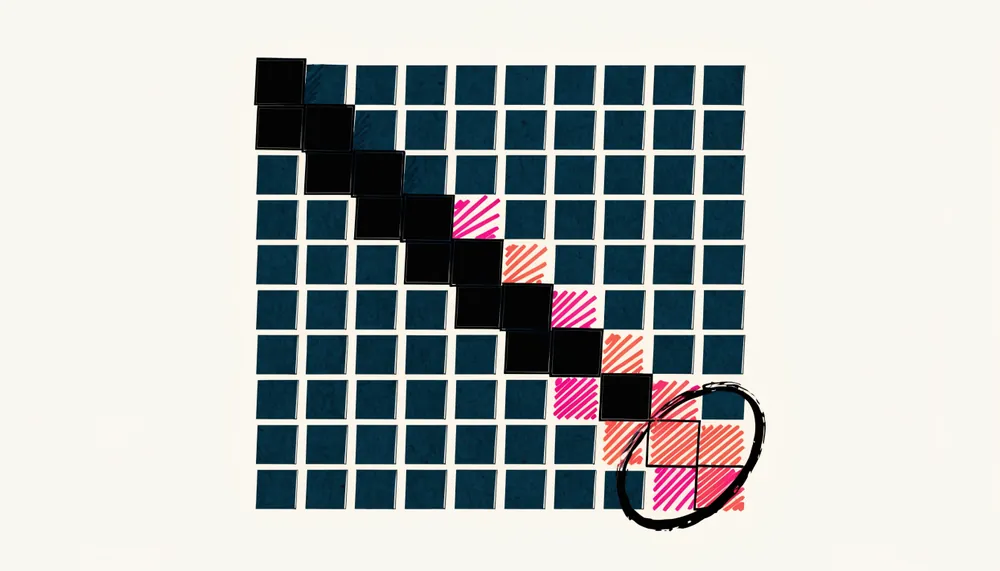
Sixteen weeks to filing: a production countdown.
The e-content has to exist at the point of application, not at launch. The calendar, worked backwards from the DEB window.
Read the piece →
How it works
From raw recording to published course in four steps.
Send one lecture, free
Upload a single recording and we return a produced 90-second cut of it within 24 hours — no call, no commitment. Then bulk-upload straight from your capture system or an LMS export.
Choose the pipeline
Pick which of the 16 effects apply per course — light-touch or fully produced.
Review and approve
Every video comes back for review before it reaches students.
Publish to your LMS
Approved videos drop into Canvas, Moodle, Blackboard or your platform.
Get started
Send us one lecture.
Tell us about your programme and send a recording. We return a produced 90-second cut of your own lecture within 24 hours — no call, no commitment, no credit card.
Any lecture you already have — Zoom, Panopto, a classroom webcam, a phone on a tripod. Tell us which effects interest you.
Ninety seconds of your own lecture, run through the pipeline. Judge it on your material, not a stock demo.
One course, ₹75,000 flat, with an engagement report measuring completion against your unproduced modules.
Thanks — we'll be in touch.
We reply within one business day, and your produced cut follows within 24 hours of receiving the recording.
Bring your lecture archive to broadcast quality.
Running ODL or Online programmes in India? See the clause-by-clause mapping to the UGC Regulations, 2020. Working to an ADA Title II or Section 504 deadline? Start with Essentials.